

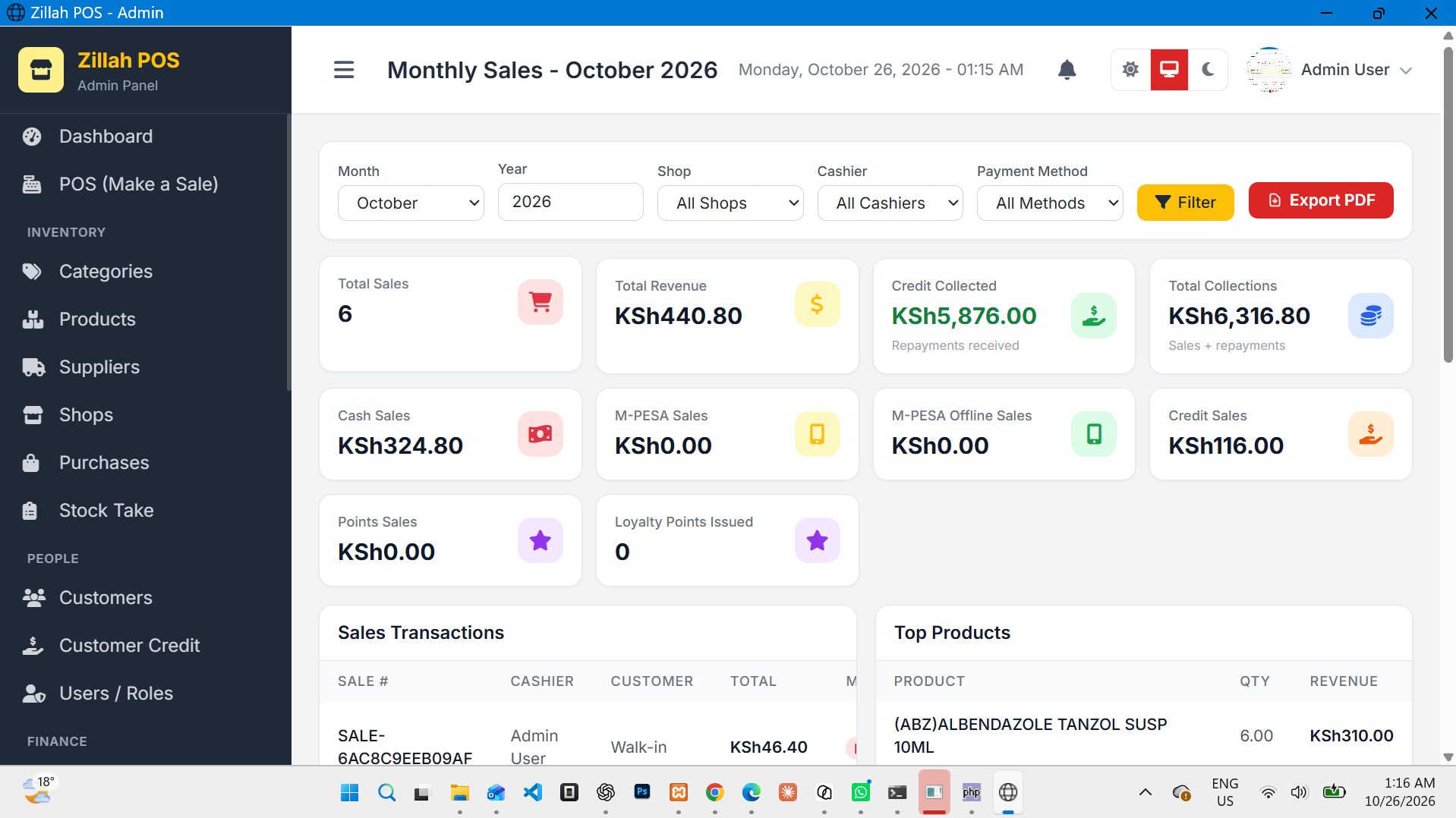
A cloud-based POS system is ideal for business owners who want to access their sales and inventory information from different locations.
Businesses have different technology needs. While some prefer managing their operations online from anywhere, others want their business software installed directly on their computers. Some businesses also prefer running their systems through a local server within their premises.
At Zillah Technologies LTD, we understand that businesses need flexible, reliable, and affordable technology solutions. That is why Zillah POS offers flexible deployment options, allowing businesses to choose how they want to install, access, and manage their point-of-sale system.
Whether you run a minimart, retail shop, supermarket, electronics store, hardware shop, or furniture business, Zillah POS can be configured to suit your preferred working environment.
The system can run in three main ways:
Cloud-based POS – Access your system online.
On-premise POS – Install and run the system directly on a computer.
Local server POS – Run the system on a server within your business premises and access it from connected devices.
Let's explore how each option works and how you can choose the right one for your business.
1. Cloud-Based POS: Manage Your Business Online
A cloud-based POS system is ideal for business owners who want to access their sales and inventory information from different locations.
With the cloud deployment option, Zillah POS is hosted on a server and accessed through a web browser. Depending on your configuration, you can log in from a computer, laptop, tablet, or other supported device with an internet connection.
Benefits of Cloud-Based Zillah POS
Access your business remotely
Check your business operations without being physically present at your shop, subject to your account permissions and internet availability.
Manage multiple branches
Businesses operating multiple outlets can use a suitable multi-branch configuration to manage stock, sales, and business performance from a central system.
Centralized data management
Sales transactions, product information, inventory records, and other supported information can be managed centrally.
Easy access across devices
You do not necessarily need to install the entire application on every device. Supported users can access the hosted system through a web browser.
Convenient system management
Hosting the application centrally can simplify deployment, maintenance, backups, and updates, depending on the hosting arrangement.
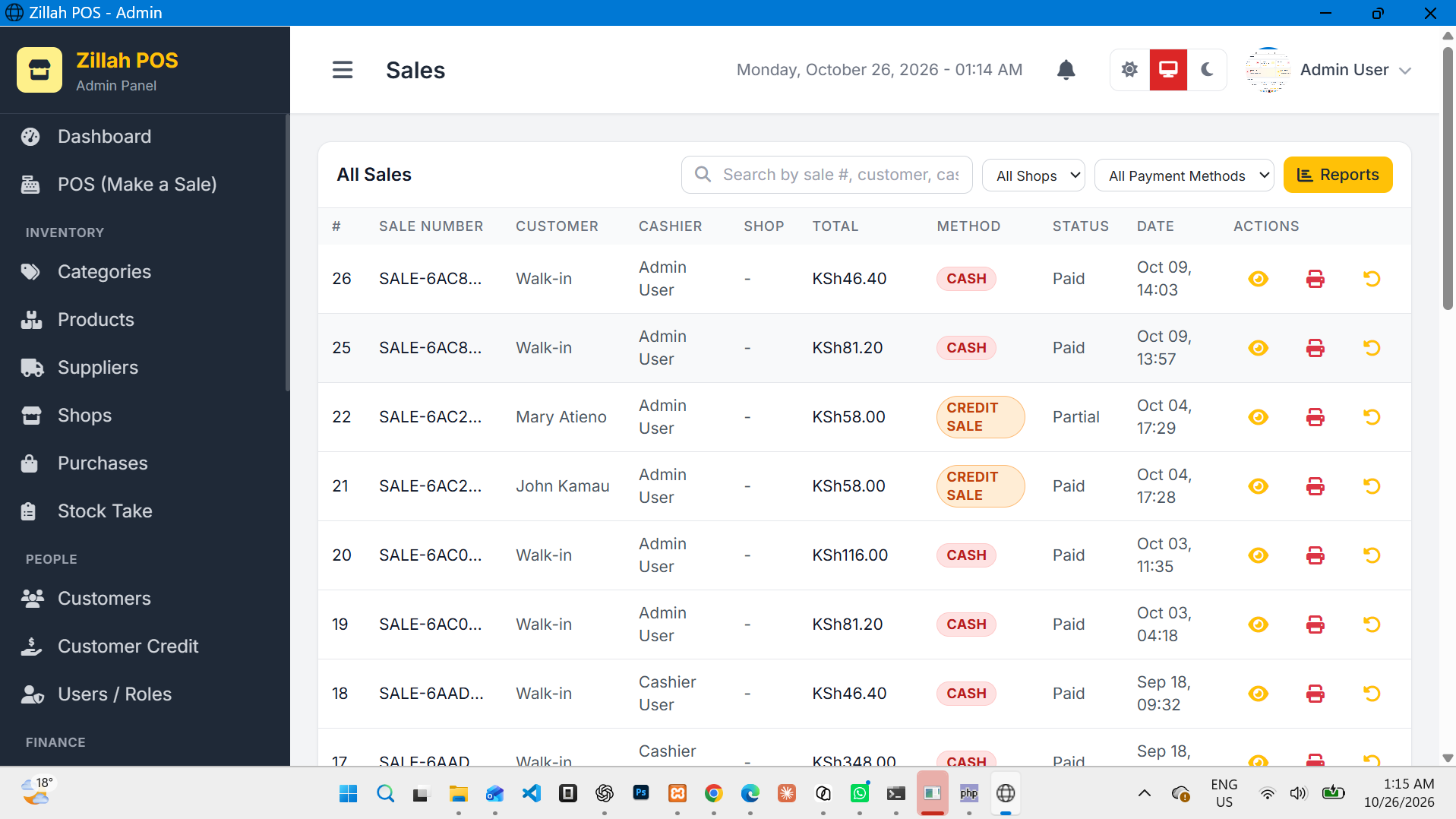
Who Should Use Cloud-Based Zillah POS?
The cloud option is suitable for:
Businesses with multiple branches.
Business owners who need remote access.
Retailers who want centralized management.
Businesses with staff working from different locations.
Businesses that prefer not to maintain their own application server.
Keep in mind that cloud access generally requires an internet connection. Offline transaction processing and synchronization depend on the specific configuration and capabilities of the installation.
2. On-Premise POS: Install Zillah POS Directly on Your Computer
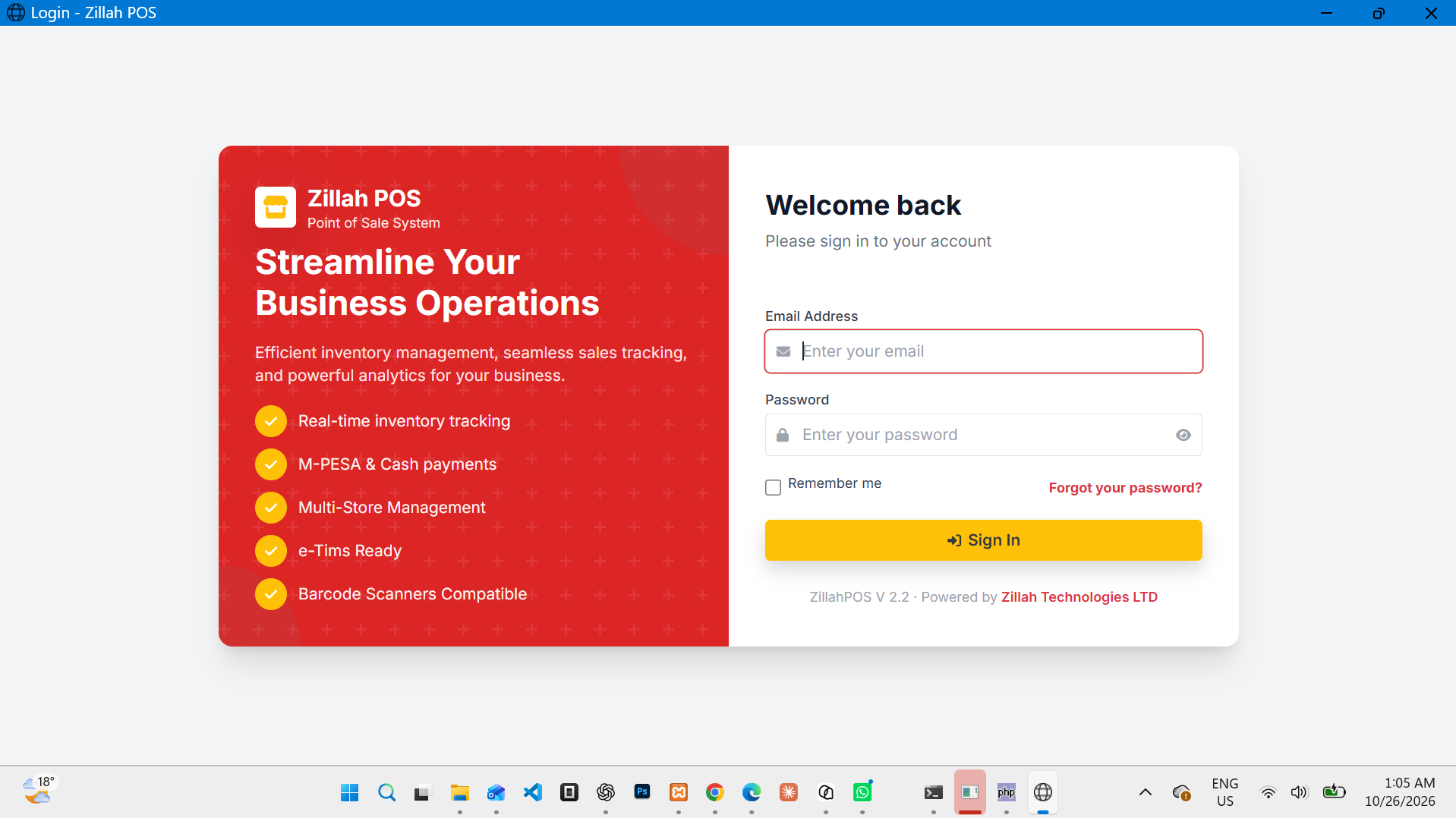
Did you know that you can run Zillah POS on your own computer without purchasing a domain name or hosting package?
Yes! Zillah POS can be installed and run locally on a supported machine.
Instead of hosting the application on a public web server, you can configure it to run within your computer's local environment.
For example, a supported installation may use a local development environment and a web address such as:
http://localhost
The localhost address refers to the computer you are currently using. It allows your browser to communicate with a web application running on that same machine.
Depending on the supplied installation package and your computer's configuration, you may also be able to launch the required services using a provided Windows batch file (.bat).
This means you can use Zillah POS without necessarily purchasing:
A domain name.
Public web hosting.
A cloud server.
These are advantages for businesses that prefer to keep their POS installation on their own equipment.
How Does On-Premise Zillah POS Work?
In a typical local installation, the required application files, database, and supporting services are configured on the computer.
Once the necessary services are running, you open your browser and access the application using its configured local address.
For example:
http://localhost
The exact installation steps and startup method depend on the software package supplied for your installation.
Benefits of On-Premise Zillah POS
No domain name required
You can use a local address instead of purchasing a public domain name.
No public hosting required
The application can run using the resources of your own computer, provided it meets the software's requirements.
Local access
You can access the application directly on the installed machine without needing to reach a public website.
Greater control over your installation
Your business can retain control over its local application environment and data storage arrangements.
Potentially lower recurring costs
You may avoid recurring domain and cloud-hosting charges, although electricity, hardware, maintenance, backups, and technical support may still incur costs.
Is On-Premise POS the Same as an Offline POS?
Not necessarily.
Installing software locally does not automatically mean every feature will work without internet access.
Core sales and inventory functions may work offline if the installation and application are designed and configured to support them. However, services such as M-PESA STK Push, online ordering, remote access, and external integrations may require an internet connection.
For this reason, businesses should confirm which functions are available offline in their specific Zillah POS configuration.
Who Should Use On-Premise Zillah POS?
This option is suitable for:
Small retail shops.
Minimarts and convenience stores.
Businesses operating from a single computer.
Businesses that do not want to purchase a domain.
Retailers who prefer locally installed software.
Businesses that want to minimize recurring hosting costs.
3. Local Server POS: Run Zillah POS Across Your Business Network
What if you want to use Zillah POS on more than one computer but do not want to host it on the internet?
A local server installation may be the solution.
With this arrangement, Zillah POS runs on a designated computer or server within your business premises. Other authorized devices on the same local network can connect to that server to access the application.
For example, a supermarket may have:
One computer acting as the local server.
Two cashier computers at the checkout counters.
One computer in the manager's office.
When configured to support multiple users, the cashier computers and the manager's computer can connect to the locally hosted application through the business network.
The server provides a central location for the application's database and other shared resources, according to the installation design.
How Does a Local Server Installation Work?
Unlike a single-computer installation that uses localhost, other computers generally need to connect to the server using its local network IP address or an appropriate local hostname.
For example, if the server's local IP address is 192.168.1.10, a browser on another authorized device might access the application through an address such as:
http://192.168.1.10
This is an illustrative example. Your actual address will depend on your network and server configuration.
The server must be running, the devices must have network connectivity, and the necessary application and firewall settings must be configured correctly.
Benefits of Local Server Zillah POS
Multiple computers can access the system
A properly configured installation can support multiple authorized devices on the same local network.
Centralized business records
Connected devices can work with a shared application and database rather than maintaining separate, disconnected records.
Reduced dependence on cloud hosting
Your application can be hosted within your premises instead of requiring a public cloud server.
Local network access
Devices can communicate with the local server even when the business does not have an active internet connection, provided the local network and application are operating and the relevant functions support offline use.
Suitable for busy retail environments
Businesses with several checkout points may benefit from a centralized local installation.
Who Should Use a Local Server Installation?
This option is ideal for:
Supermarkets.
Busy minimarts.
Retail stores with multiple checkout counters.
Businesses with several computers.
Businesses that want centralized stock and sales records on their premises.
Organizations seeking to reduce their reliance on external hosting.
A local server should be configured with suitable security, regular backups, access controls, and reliable hardware. Businesses should also establish a recovery plan in case the server fails.
4. Cloud vs On-Premise vs Local Server: Which Is Right for You?
Choosing the right deployment option depends on your business size, budget, network, and operational needs.
| Feature | Cloud POS | On-Premise POS | Local Server POS |
|---|---|---|---|
| Where it runs | Hosted server | Individual computer | Computer or server on your premises |
| Domain required | Usually, for a public website | No | No public domain required for local access |
| Public hosting required | Yes, typically | No | No, for local-only access |
| Internet for local access | Generally required | Not necessarily | Not necessarily |
| Access from multiple computers | Yes, subject to configuration | Usually limited to the installed machine unless configured otherwise | Yes, on a configured local network |
| Remote access | Available with appropriate configuration | Not automatic | Not automatic |
| Centralized multi-branch management | Suitable | Requires additional configuration | Requires additional configuration |
| Local hardware maintenance | Limited server responsibility | Your responsibility | Your responsibility |
| External integrations | Depends on internet and configuration | Depends on internet and configuration | Depends on internet and configuration |
Important: These options describe where the system runs and how users access it. Actual functionality depends on the software version, installation, hardware, and configuration. Local installation does not automatically guarantee offline support for every feature.
5. Does Zillah POS Require a Domain Name?
No. A domain name is not compulsory for every Zillah POS installation.
If you choose the cloud option, you will generally use a domain name or another configured web address to access the hosted system.
However, if you choose an on-premise installation, you can access the application through a local address such as http://localhost, provided the application is installed and running correctly.
For a local server installation, other computers can connect through the server's local network address.
This flexibility means you can choose a deployment approach that matches your current budget and business requirements.
You can begin with a local installation and consider a hosted deployment later if your business needs remote access, centralized branch management, or other cloud-based capabilities.
Any migration between deployment options should be planned carefully to ensure that your existing business records are backed up and transferred correctly.
6. What About M-PESA, Barcode Scanning, Stock Management and Other Features?
Choosing a deployment option is only one part of selecting a POS system. You also need to consider the tools available to manage your daily operations.
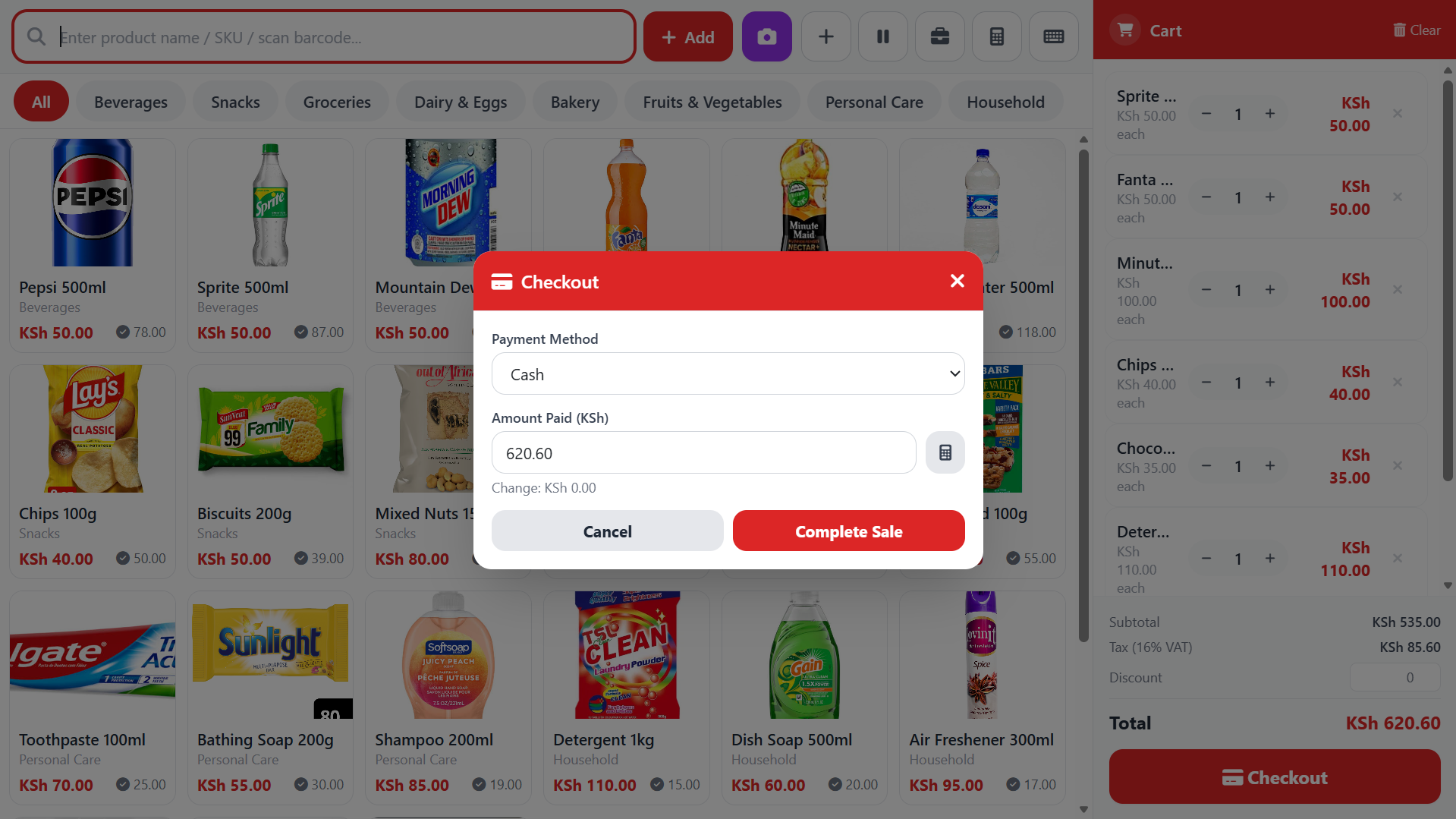
Zillah POS offers business management features designed to help retailers improve sales processing, inventory control, and reporting.
Depending on your version and configuration, these features may include:
M-PESA STK Push
Simplify customer payments through supported M-PESA STK Push integration. An internet connection and the required payment configuration are generally necessary for communication with the payment service.
Inventory and Stock Management
Manage product records, monitor stock levels, and maintain inventory information through the supported stock management functions.
Barcode Scanning
Speed up product identification and checkout using compatible barcode scanners.
Multi-Branch Management
Manage multiple outlets using an appropriate deployment and branch configuration.
Product Expiry and Low-Stock Notifications
Monitor expiry dates and stock levels to help your business identify products that need attention.
Sales Reports
Review sales and other business reports to help you understand performance and make informed decisions.
Online Ordering and Ecommerce Integration
Where the relevant website addon and integration are configured, businesses can connect their POS with an online ordering experience. These features generally require appropriate hosting and connectivity to synchronize information between systems.
KRA eTIMS Readiness
Zillah POS can be configured for supported eTIMS-related workflows. Confirm the applicable integration, configuration, and compliance requirements for your business before relying on it for tax invoicing.
The availability of individual features may differ by edition, addon, and installation method.
7. Which Zillah POS Installation Should You Choose?
Here is a simple guide to help you decide.
Choose Cloud-Based Zillah POS if:
You want online access, remote business monitoring, or centralized management across branches.
Choose On-Premise Zillah POS if:
You want to run the system directly on one computer without purchasing a domain name or public hosting package.
Choose Local Server Zillah POS if:
You want multiple computers within your business premises to access a centrally hosted POS application over your local network.
If you are unsure which option suits your business, consider how many checkout points you have, whether you need remote access, the reliability of your internet connection, and your budget for hardware and hosting.
Conclusion: One POS System, Flexible Deployment Options
Every business has different requirements. Some businesses need cloud access and remote monitoring, while others prefer installing their software locally or running it through an in-house server.
Zillah POS gives businesses the flexibility to choose a suitable deployment approach: cloud-based, on-premise, or local server.
You do not necessarily need to purchase a domain name or public hosting package to run Zillah POS. With a suitable local installation, you can run the application on your own computer using localhost or access it through a configured local server.
This flexibility makes Zillah POS a practical option for businesses looking for a point-of-sale solution that can adapt to their infrastructure and operational needs.
Whether you operate a minimart, supermarket, retail shop, or a business with multiple checkout points, Zillah Technologies LTD can help you identify the appropriate deployment option for your requirements.

Comments 0
No comments yet. Be the first to share your thoughts!